Linux on My Old ARM Chromebook
Following my previous initiative of installing KOReader on my Amazon Kindle, I decided to bring my dead Asus Chromebook back to life by installing a Linux distribution on it, and to make it usable and updatable again.
It’s an Asus Chromebook Flip C101PA, around 7 years old, with 4 GB of RAM and 16 GB of storage. I wasn’t really happy with it anymore.
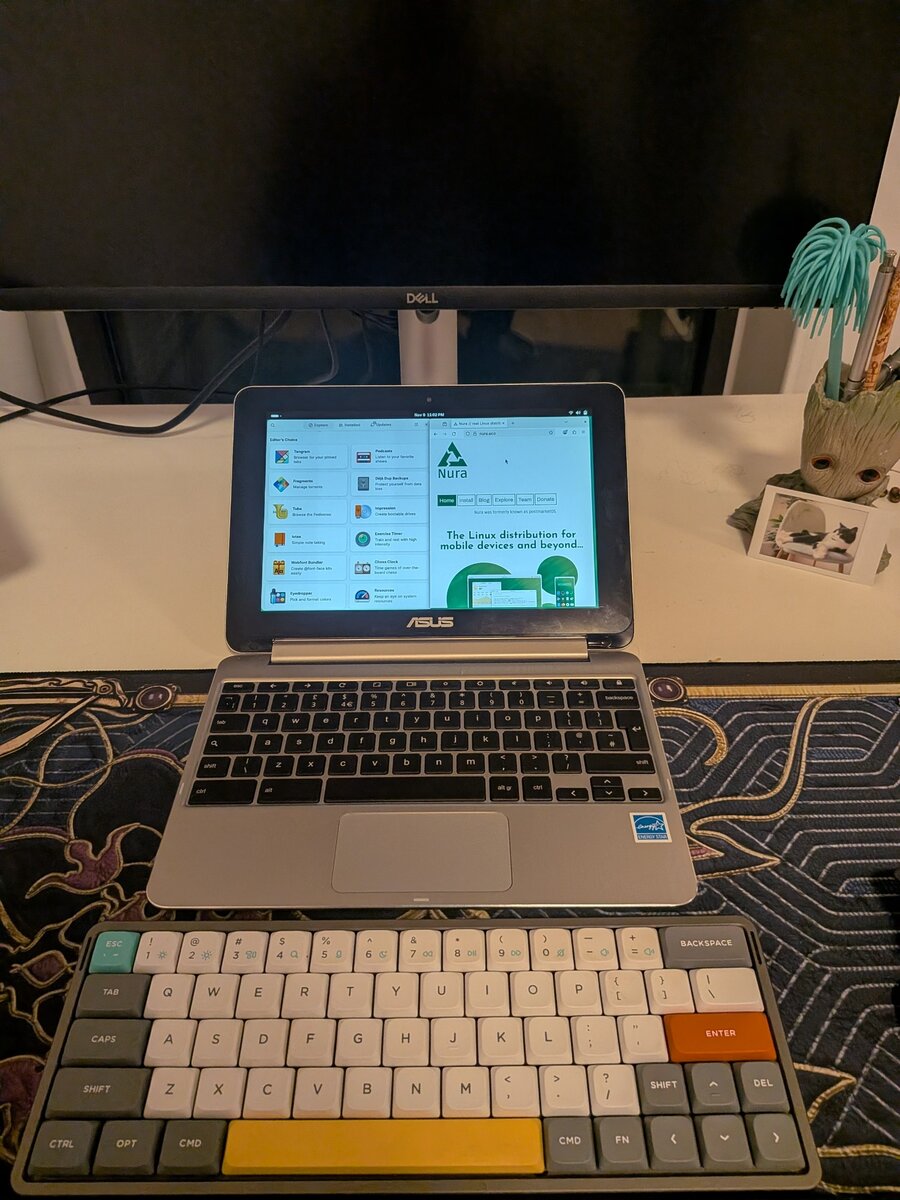
It’s an ARM Chromebook
My plan was the usual Chromebook route: flash MrChromebox’s UEFI firmware, boot a normal ISO and install something light like Fedora Xfce. When I gave Claude the model number, it pointed out that the C101PA isn’t an Intel machine at all. It has a Rockchip RK3399, which is ARM. MrChromebox only supports Intel and AMD Chromebooks, and a normal x86 ISO won’t boot on it.
After a few investigations, I found Nura, a Linux distribution based on Alpine. It supports a bunch of ARM Chromebooks, and mine is in their community category under the codename google-gru. They also publish ready-made images for it with GNOME, Plasma, Sway and a few other desktops, so I didn’t have to build anything myself.
The good part about ARM Chromebooks is that you don’t replace the firmware. You turn on Developer Mode and tell the firmware to allow booting from USB.
Choosing a desktop
When choosing between desktop environments (Xfce, GNOME, …), I wanted something that still lets me use it as a tablet whenever I want, so the touchscreen has to work, and it should look at least a bit nice. In the meantime, I want to use it as my home server and for automation as well. I didn’t expect my 2019 Chromebook with 4 GB of RAM to run GNOME, but I gave it a try, and after a few days I’m really happy. It has a little bit of delay, but I think that’s acceptable for a Chromebook that old.
A black screen
I wrote the official GNOME image to a USB stick, pressed Ctrl+U on the boot screen, and got a black screen. Nothing happened for minutes.
This is where Claude helped the most. I plugged the stick back into my laptop, and Claude looked through it for boot logs. There weren’t any, and the root partition hadn’t been resized yet, which happens on the first boot. So the kernel had started, but it never got as far as mounting the root filesystem.
Then it looked inside the image and found the problem: the image was missing the drivers it needs to find itself on a USB stick. It only boots from a microSD card or the internal storage.
I didn’t have a microSD card, so Claude added the missing drivers to the image, and the next boot reached the GNOME login screen.
Checking the hardware and installing
After connecting it to Wi-Fi, I set up SSH so Claude could check the hardware from my laptop. The GPU, Wi-Fi, Bluetooth, webcam, touchscreen and the sensors for screen rotation all showed up. To check the sound, it played a test file over SSH, and I heard a voice saying “front left” and “front right” from the Chromebook.
Then I wrote the image to the internal storage, replacing ChromeOS.
The touchscreen was a mouse
After the install, touching the screen only moved the cursor. Nura uses keyd to remap the Chromebook’s top-row keys, and keyd mistook the touchscreen for part of the keyboard and turned it into a mouse. Telling keyd to ignore the touchscreen fixed it:
# /etc/systemd/system/cros-keyboard-map.service.d/touchscreen.conf
[Service]
ExecStartPost=/bin/sed -i "/^\\[ids\\]$/a -0000:0000:404212c6" /tmp/cros-keymap/keyd.conf
How it looks
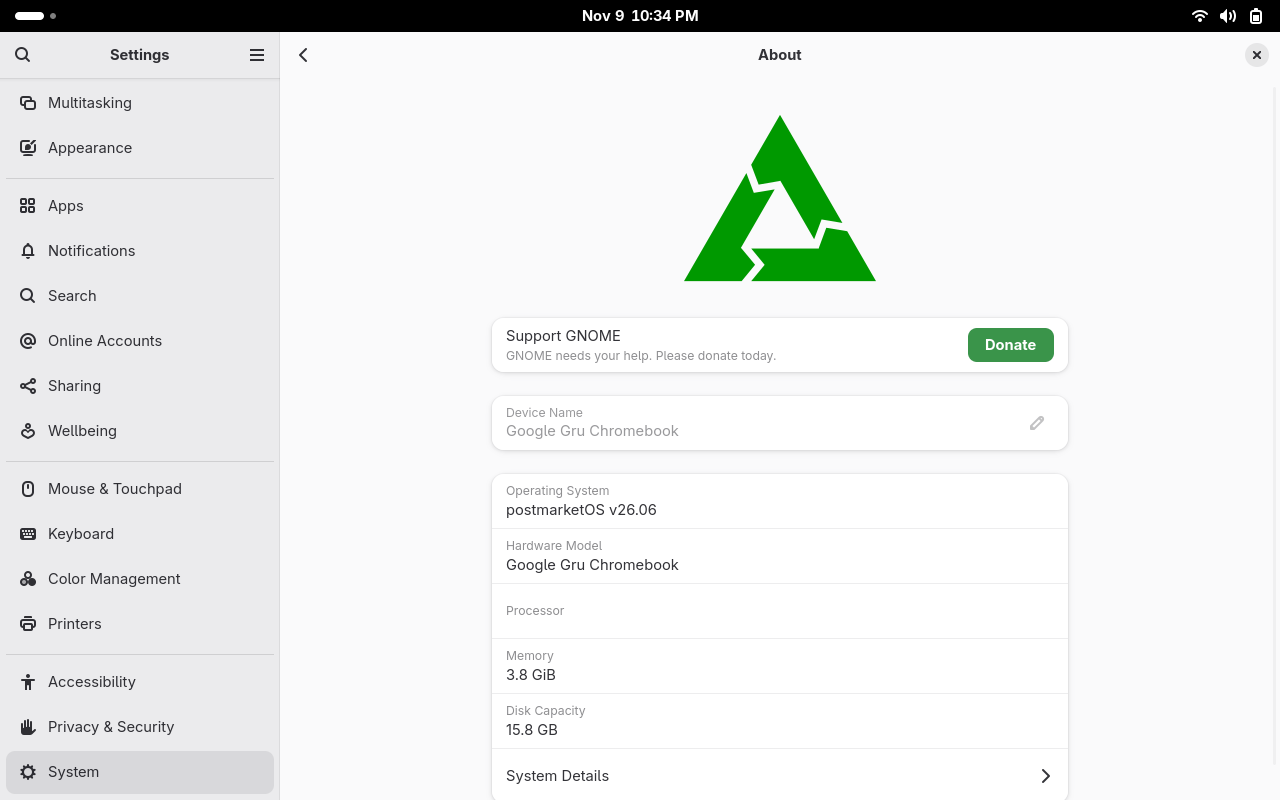
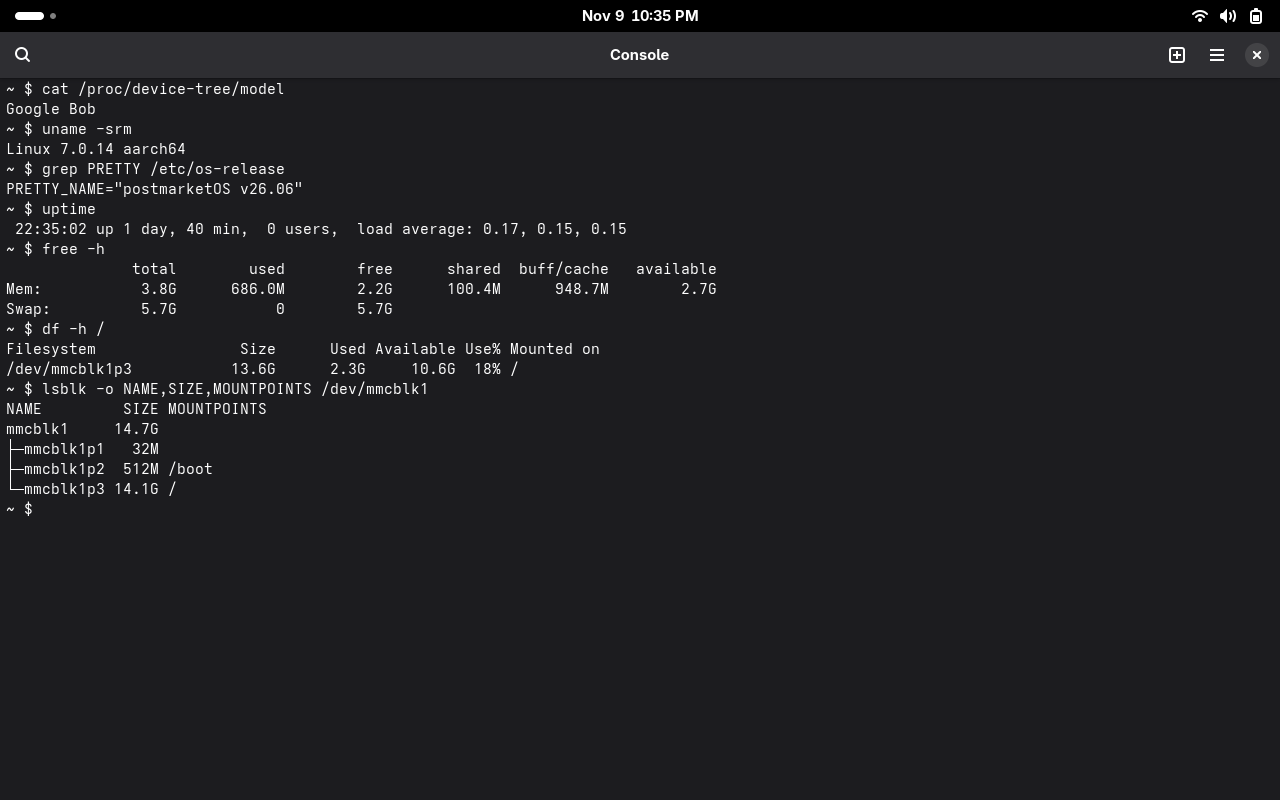
With GNOME running, it uses around 700 MB of the 4 GB of RAM.
Now I’m looking for the next thing I can install Linux on. Who knows, maybe my TV? :))