I Built a Native BigQuery Client Because the Web UI Was Slowing Me Down
At work, I constantly switch between GCP projects. One minute I’m checking a table in the production project, the next I need to compare it with staging, then jump to a completely different team’s project to debug a data pipeline. On any given day I might touch six or seven different projects.
The BigQuery web console doesn’t handle this well. Switching projects requires multiple clicks through a dropdown. There’s no way to search for a table if you don’t remember which project it’s in. Opening a new tab means waiting a few seconds for everything to reload. When your workflow involves jumping between projects every few minutes, these small friction points turn the web UI into a real productivity drain.
I looked at existing tools like DBeaver and Beekeeper Studio, but their community editions didn’t support BigQuery well enough for this workflow.
So I built Delephon.
What it does
Delephon is a native desktop app for BigQuery, built with Go and Fyne. No browser, no Electron. It opens fast and doesn’t get in your way.
The core idea is simple: star the projects you care about, and everything else gets fast.
Starred and recently queried projects load immediately on startup. Datasets and tables are cached in the background after the first load, so searching is instant the second time. You type project.dataset. and autocomplete shows you tables. You click a table and it generates a SELECT * with the right partition filter already filled in.
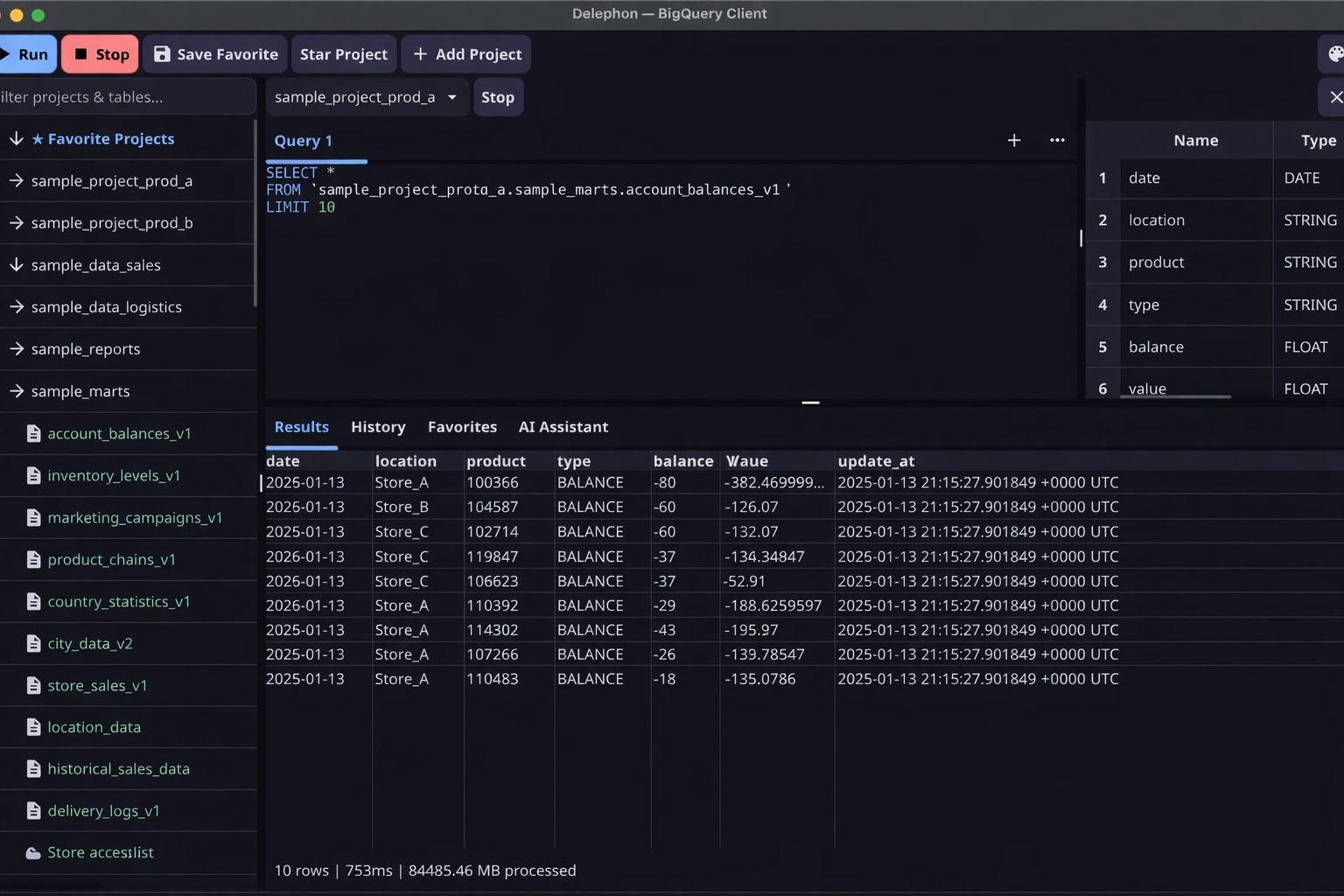
A few things that I found useful while building it:
- Fuzzy search across projects — type a table name and matching tables surface the project to the top, even across multiple starred projects.
- Multi-tab SQL editor — Cmd+Enter to run. SQL keywords, table names, and column names autocomplete as you type.
- Schema viewer — click a table, see columns, types, and descriptions. No extra queries needed.
- Query history and favorites — past queries are saved locally. Bookmark the ones you reuse.
AI Assistant
I also added an AI assistant tab. You describe what you want in plain English, and it generates BigQuery SQL. The assistant gets the schemas of your starred projects as context, so it knows your tables and columns.
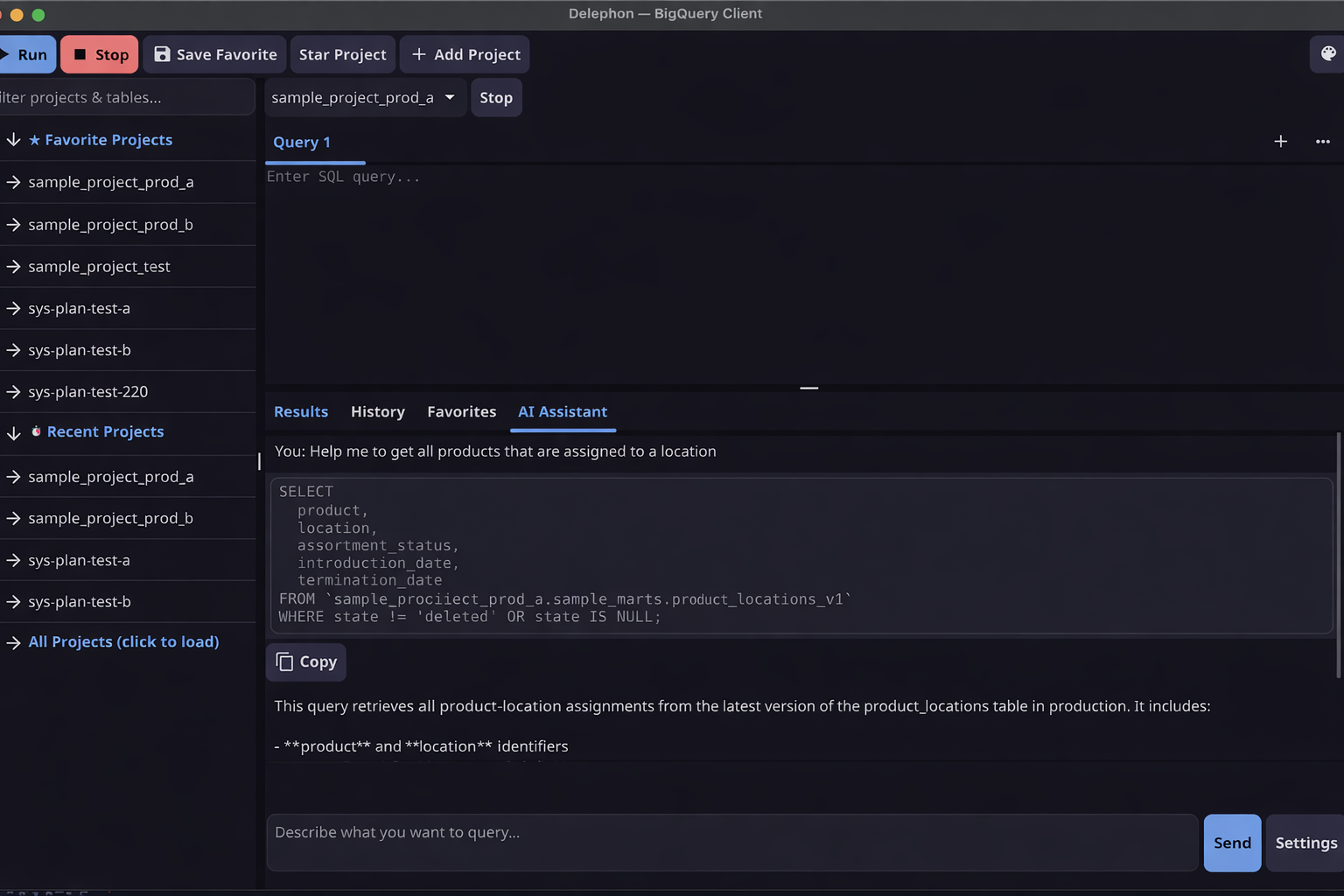
The generated query runs automatically with a LIMIT 10 so you can verify the results right away. If the output isn’t quite right, you refine it in the same conversation. It’s multi-turn, so the assistant remembers what you asked before.
This turned out to be more useful than I expected. Not because writing SQL is hard, but because remembering which table has which column across a dozen datasets is tedious. The assistant handles that lookup for you.
Try it
If you spend time switching between GCP projects and the web UI slows you down:
gcloud auth application-default login
go install github.com/farbodahm/delephon@latest
delephon
The project is on GitHub.